



Your phone can work at a TTC station and lose service as soon as the train enters a tunnel. That doesn't automatically mean your phone is broken or your carrier is the wrong choice.
Our advice: check the current coverage map before paying for a different plan. Station coverage is much wider than continuous tunnel coverage. Download anything important before boarding, and save a call that cannot drop for somewhere with a stable connection.
In this guide
Where does TTC cell service work?
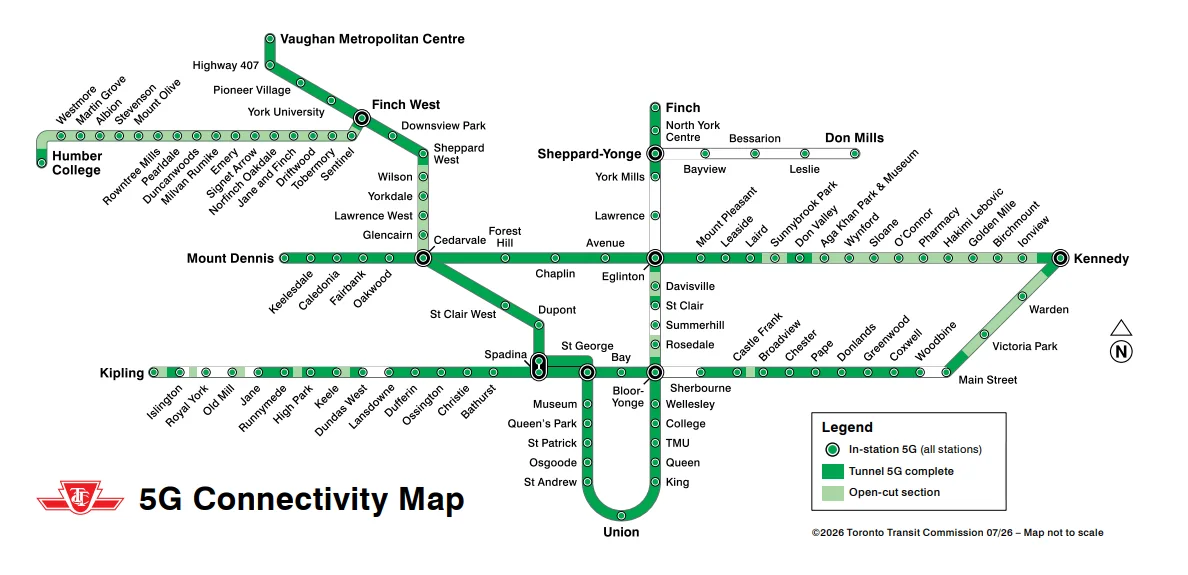
The TTC's current connectivity page lists service at all stations on Lines 1, 2, 4, 5 and 6, plus a number of tunnels. The map it publishes is dated July 2026. We checked it again on September 20, 2026.
Read the map's three markings separately:
- Station circles: in-station 5G.
- Dark green sections: completed tunnel 5G.
- Pale green sections: open-air sections.
A station circle at each end of a tunnel doesn't turn the space between them green. This is why a page can load while you wait, then freeze after departure.
The map still leaves gaps along the Yonge side of Line 1, including Eglinton to York Mills. Line 4's station circles also do not show a completed continuous tunnel connection. On Line 2, coverage is a mix of connected sections, open-air stretches and remaining gaps.
Use the full-size official coverage map for your own stations. It describes the network build, not today's outages or a promise that a video call will stay connected.
Read your trip as a chain of sections
Do not ask only whether your starting station has service. Trace every section between the stations where the call or download matters.
| What the map shows | What to expect | Best plan |
|---|---|---|
| Station circles with a dark-green line between them | Network equipment is shown in the stations and connecting tunnel | A call may continue, but crowding and outages can still affect it |
| Station circles with an uncoloured tunnel between them | Service at the platforms, with a likely gap after departure | Finish the call or download before the doors close |
| Pale-green open-air section | The train is above ground | Ordinary outdoor network conditions apply, with no guarantee for every carrier |
| A route section not marked complete | The published map does not promise continuous service | Plan for offline use |
Transfers need the same care. A connected platform at Bloor-Yonge does not settle the next tunnel on Line 1 or Line 2. Check the route after the transfer too.
Is one carrier better on the subway?
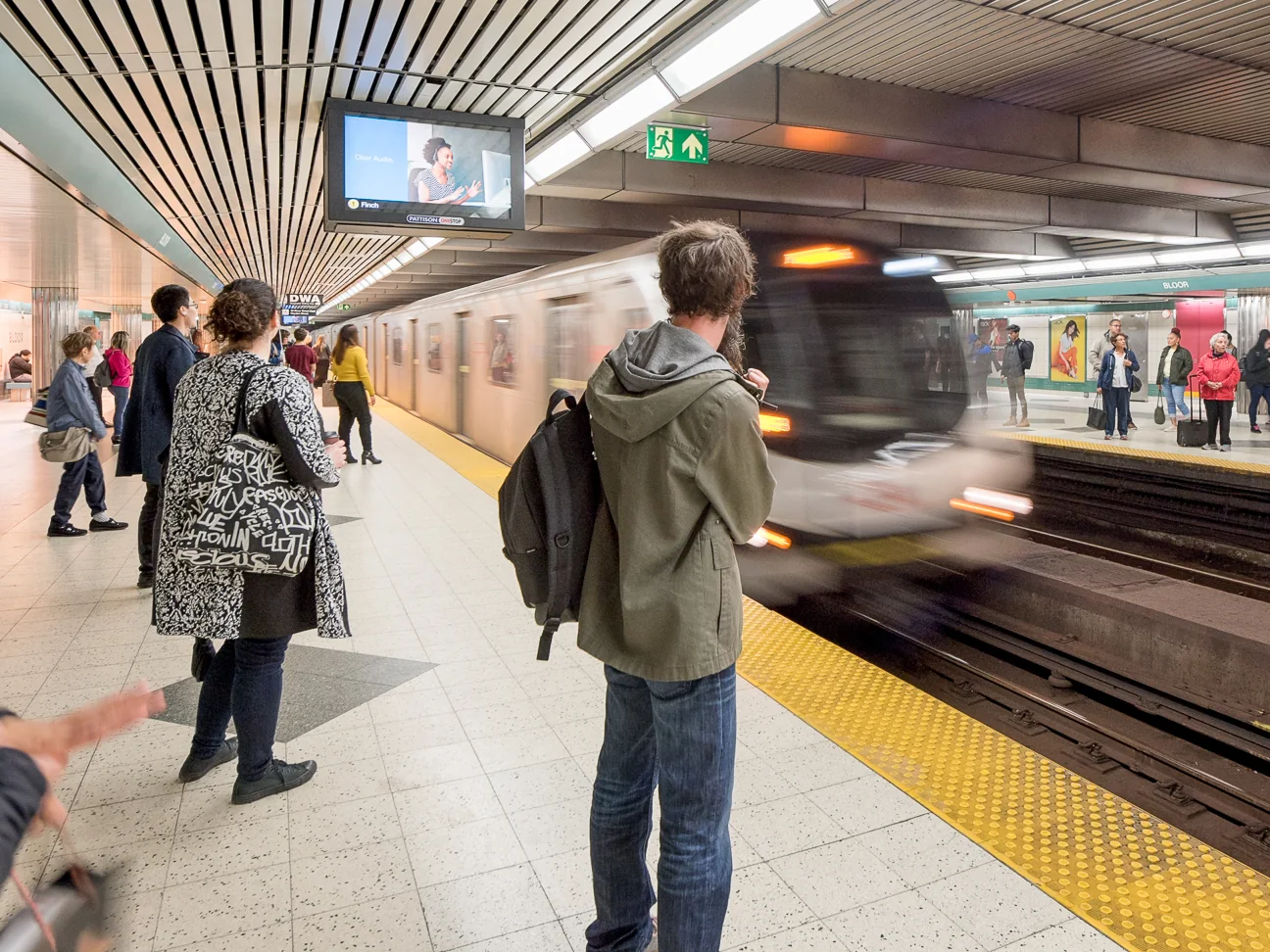
We wouldn't pay more just because someone on the next seat can scroll while your screen is stuck. Their app may already have loaded the next few posts. One moment on one train isn't a useful comparison.
Rogers operates the subway network, but it isn't reserved for Rogers customers. The company's announcement opening service to other major carriers dates to October 2023. Advice saying only Freedom can work underground is from an earlier stage of the system.
Shared infrastructure also doesn't prove that every phone and plan performs identically. Check device compatibility, the plan's speed limits and your actual route. Google, for example, notes that phone models and carrier networks affect 5G compatibility.
Freedom's long history doesn't guarantee an unbroken trip
Freedom's TTC page lists stations and selected tunnel coverage, including service across Lines 5 and 6. But its broad route wording does not line up neatly with every gap on the TTC's July map.
For trip planning, use the TTC map and check a disputed section with your carrier. Don't interpret a carrier's short summary as a promise of uninterrupted data across every kilometre.
We found no reliable evidence that a simple “Freedom uses 700 MHz, everyone else uses 800–900 MHz” explanation accounts for subway performance. Nor did we find proof that Rogers deliberately slows rival subscribers in busy trains. Those claims aren't a sound reason to switch.
Test the trip you actually make
If you're comparing plans, make the comparison on your regular route and at your normal travel time. Note the phone model, station pair, direction, date and whether you were calling, sending a message or loading a fresh page.
A few repeat checks tell you more than a speed test beside a station entrance. Include the places where you spend the rest of your day too. A better connection on the subway won't make up for a dead zone at home.
Use the same action for each test. Loading a fresh webpage is more useful than watching a video that may already be loaded. For calls, note whether the call drops, becomes hard to hear or reconnects automatically at the next station.
Test on two or three ordinary commutes before changing plans. One rush-hour train can be unusually busy, and one phone can be downloading an update in the background.
When switching carriers is worth considering
Switch only after the problem also appears where the map shows coverage, or in places above ground that matter to you. Ask the new carrier whether your exact phone model supports its network and whether the plan has speed limits after a data threshold.
Use a prepaid month or a return window if available. Move your number only after you have compared the full route, home, work and the buildings you enter most often. A carrier that wins one tunnel and loses your apartment is a poor trade.
What to try when service doesn't return
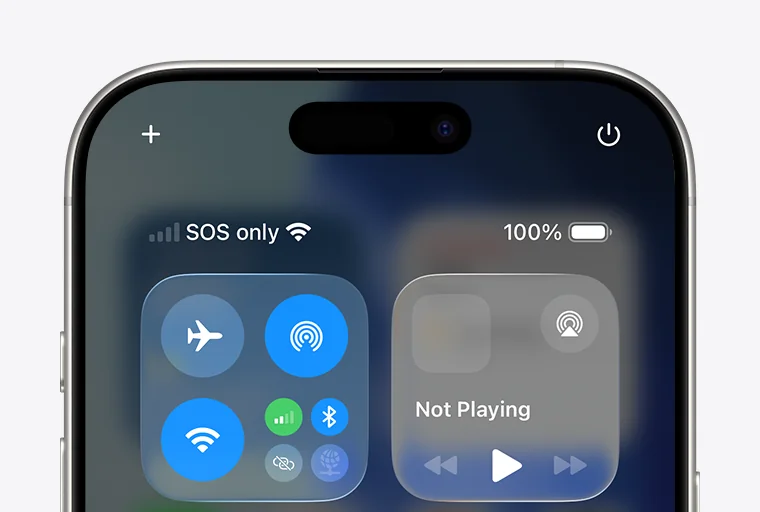
If the signal drops only between stations and comes back at the next platform, start with the coverage map. Repeatedly changing settings won't fill an unfinished tunnel gap.
If it stays missing in a covered station or after you leave the subway, try these steps:
- Check that mobile data and the correct phone line are on. A SIM is the small card, or digital eSIM, that connects your phone to its carrier. This matters if you use two lines.
- Turn off Wi-Fi briefly to check whether the problem is actually with mobile data.
- On an iPhone, turn Airplane Mode on for at least 15 seconds, then turn it off. Apple recommends this when a mobile network is available but the phone hasn't reconnected.
- Restart the phone and check for system or carrier-settings updates.
- Ask your carrier to check an outage, your account and the phone's compatibility before paying for repair.
Use Apple's no-service guide or Google's Pixel connectivity guide for the exact settings on your phone. Menu names differ by device.
Don't start with a factory reset. A subway dead zone is a poor reason to erase a working phone.
Bars on the screen are not a successful connection
A signal indicator doesn't prove that the page you want can load. Google also says a 5G icon can show that 5G is available in an area without confirming that the phone is using it at that moment.
If the same covered location keeps failing, record it and send the details to your carrier. A report saying “southbound from this station at 8:15 a.m., calls worked but fresh pages did not” is more useful than “the TTC internet is bad.”
What happened to free TTC Wi-Fi?
The old TConnect Wi-Fi service ended on December 27, 2024. It served subway platforms, not the tunnels. The TTC's closure notice cites poor performance, falling use, cybersecurity concerns and rising costs.
Cellular service is a different connection. It uses your mobile plan. Replacing Wi-Fi with cellular coverage doesn't provide free internet to someone who has no data allowance.
The TTC did test free Wi-Fi on buses, but it wasn't a service on every bus. A TTC report on that pilot records 181 equipped buses on six routes, with the pilot ending in April 2023.
In February 2025, the TTC Board directed more work on public Wi-Fi options and a customer survey. That decision is not confirmation that a replacement network is running. As of our September 15, 2026 check, we haven't verified a system-wide return of free station Wi-Fi. Look for a dated launch notice before relying on one.
Make your trip work even when your phone doesn't
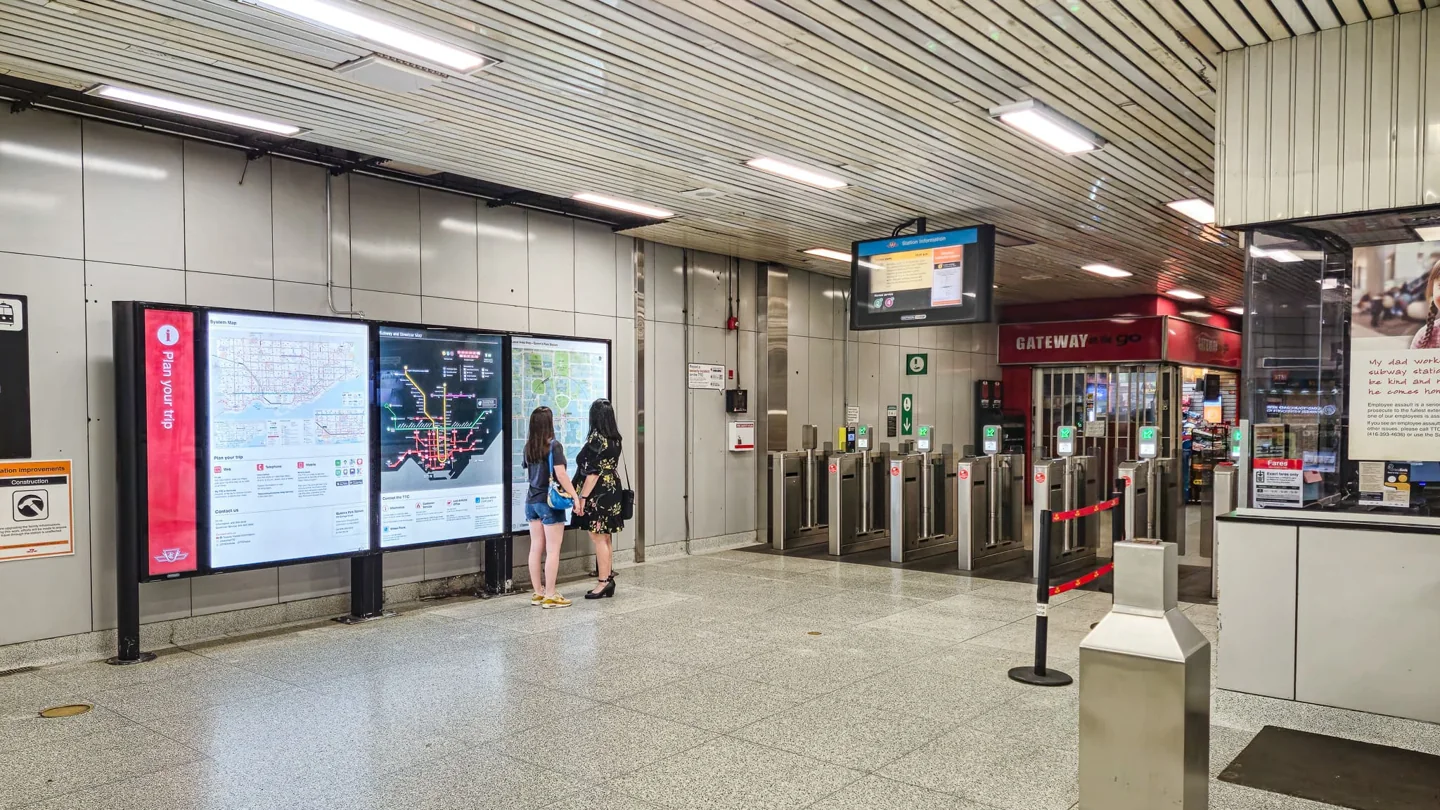
Save your destination address, the station exit you need and any booking details before going underground. Download music, a podcast or reading material if your app allows it. Keep an offline puzzle or other small backup if the ride is long.
Take screenshots of tickets or QR codes when the issuer permits it. Some ticket apps require a live connection or moving security feature, so check before relying on a screenshot. Add the destination to an offline map and save a phone number for the place you are visiting.
For work, draft a message before entering the system and send it while the train is stopped at a covered station. Do not promise to join a video meeting from a route with uncompleted tunnels. The map can help you plan, but it cannot reserve network capacity.
For meeting someone, agree on a place and a fallback time before boarding. “Outside the Bay Street entrance at 6” is easier to manage than a running chat that stops halfway through the trip.
Use headphones for audio. Better coverage is useful for riders who need it, but the whole car doesn't need to hear your call.
If you need an accessible exit, plan that too. Our guide to accessible things to do in Toronto is a starting point for outings, and the TTC's own service alerts should be checked before travel.
Getting help in an emergency
For an emergency on a subway train, use the yellow emergency strip above the windows. The TTC says it alerts the operator and Transit Control, with the train stopping at the next station for assistance. Don't spend critical time trying to refresh an app.
The TTC says mobile 911 calls are available through any carrier where cellular coverage exists. At stations, intercoms and platform telephones provide other ways to seek help. The TTC's accessibility responses explain those station options.
When will every tunnel have service?
The TTC's 2025 progress report identifies the end of 2026 for full cellular access. Federal licence conditions set staged requirements for stations and tunnels.
What is not confirmed yet: completion of the whole network. As of September 15, 2026, confidence is high that the published deadline exists. We have not verified that every remaining section is finished or that it will meet that date. A new coverage map and completion announcement would change that assessment.
For today's trip, plan around today's map. A future deadline won't keep tonight's call connected.
Frequently asked questions
Does every TTC station have cell service?
The TTC currently lists cellular service at stations across Lines 1, 2, 4, 5 and 6. That does not mean every connecting tunnel is covered. Check the map for the journey between your stops.
Do I need a 5G phone to get any service?
Don't buy a new phone based only on the “5G” headline. Freedom's TTC page also lists LTE access, while the services your own phone can use depend on its compatibility and carrier. Ask your provider to check the exact model before spending money.
Will Wi-Fi Calling fix a tunnel with no signal?
Wi-Fi Calling needs an available Wi-Fi connection and support from your carrier and phone. It doesn't create a connection where neither usable Wi-Fi nor cellular coverage exists. The old platform network also never supplied continuous tunnel Wi-Fi.
Does mobile data on the subway cost extra?
It uses your mobile plan, so check your allowance, speed limits and any roaming conditions that apply to you. A visitor using an overseas SIM should check their own provider's Canadian roaming charges. Station coverage is not a free public data plan.
Why can someone else's video keep playing when mine stops?
The other app may have loaded content in advance. Phones and plans can also differ. Watching another screen for a few seconds can't tell you which carrier will be more reliable over your commute.
Does a 5G icon mean my data is working?
No. The icon shows network availability or connection state, not that a fresh page will load at a useful speed. Try a new page or message before deciding the connection is working.
Can I rely on TTC cell service for a work call?
Use it only when a dropped call would be manageable. Check every tunnel section on the official map and keep a fallback message ready. For an important interview, medical call or meeting, choose a stable location outside the train.
Should I change carriers because service drops near Summerhill or St. Clair?
Start by comparing the station pair with the official map. If the tunnel isn't marked complete, changing carriers is not a dependable fix. If service also fails in covered areas or above ground, ask the carrier to investigate and test another option before committing.