


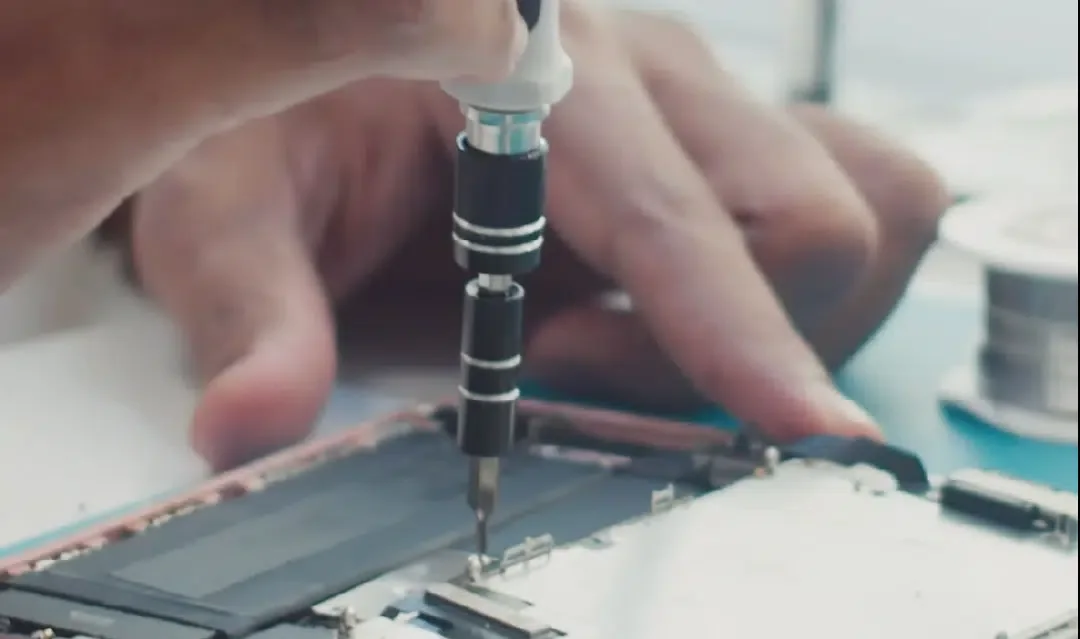
If your iPhone keeps returning to the recovery screen instead of starting normally, start with a free assessment. This is called a recovery loop. It matters even more when your repair budget is about $80. Don't approve a reset until you know what will happen to your photos, files and authenticator codes.
Our first stop on the Danforth is Mobile Klinik at 571 Danforth Avenue. It lists walk-ins and a free estimate. For an Apple-focused alternative near Coxwell, try iRepair Danforth at 1517 Danforth Avenue. Neither shop publishes a guaranteed $80 fix for a recovery loop.
Details checked September 20, 2026. These choices are based on published services and terms, not repairs we personally tested.
In this guide
- Say whether you need the phone fixed or the data saved
- Where to get an east-end assessment
- What to try before paying for a recovery-loop repair
- An $80 budget: what can you reasonably expect?
- If you cannot call or get into your email
- Other local recommendations, and what remains uncertain
- Frequently asked questions
Say whether you need the phone fixed or the data saved
A working phone and recovered data are different outcomes. A shop could make a phone usable by erasing it. That is a poor result if your only copies of important photos or login codes were on it.
Tell the technician which outcome matters most. Use this wording if needed:
My budget is $80 including tax. I need my existing data preserved. Please assess the phone first. Do not erase, restore, replace parts or start paid work without my approval. Tell me if there is a charge when a repair does not work.
If the phone still starts but its screen is broken, ask whether a temporary working screen would let you unlock it and make a backup. That is a question for the technician, not a service every shop promises.
Buying a replacement phone does not solve access to files left on the old one. Decide about data recovery before agreeing to a trade-in.
Keep control of your accounts
Back up the phone if it still allows you to. For a shattered screen, plugging it into a computer is not always enough. You may still need to unlock it and approve access.
Follow Apple's service preparation guide. It says not to share your Apple Account password, device passcode or account-security details. If software support requires you to enter them, stay present while the technician has access.
The preparation steps vary with your iOS version. Use the current guide for Find My or repair mode rather than following an old blanket instruction to erase everything. If the device is unresponsive, Apple says to complete the steps you can.
Before leaving the shop, test the repaired function. For screen work, try touch across the whole display, brightness and the front camera. For a recovery problem, test restarting, charging and access to the data you needed. Keep the invoice and written warranty.
Check coverage before choosing a shop
Open Apple's coverage information from another device if possible. An active AppleCare plan or warranty issue changes the best route.
AppleCare’s Canadian page lists a $39 service fee for screen or back-glass damage on iPhone. It lists $129 for other accidental damage. An eligible battery below 80 per cent capacity has no extra replacement charge. Check the final fee and tax for your claim. Those are plan service fees, not out-of-warranty prices.
Apple says its own repairs and those from Apple Authorized Service Providers are covered by Apple's service terms. Independent Repair Providers can have access to genuine parts, but their work is covered by the provider's warranty rather than Apple's. Ask which category the shop belongs to instead of relying on “Apple specialist” in an advertisement.
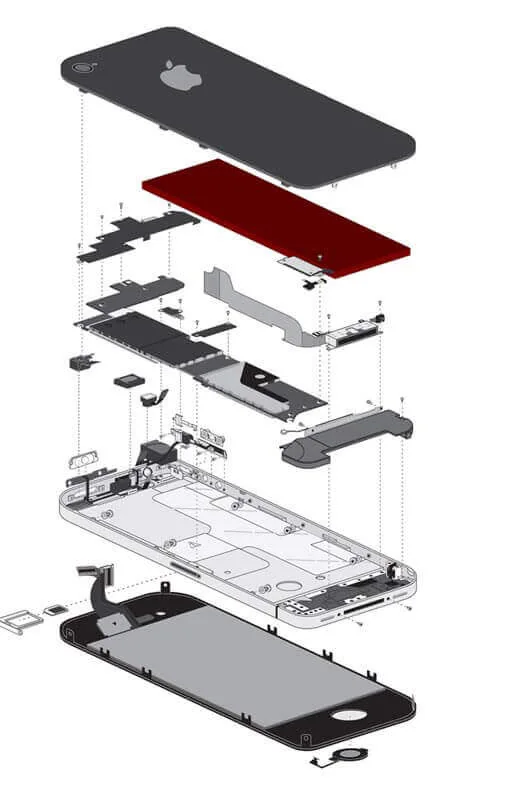
Where to get an east-end assessment
Mobile Klinik Danforth: the clearest walk-in starting point
Address: Unit 1, 571 Danforth Avenue
Published hours: Monday to Saturday, 10 a.m. to 7 p.m.; Sunday, noon to 5 p.m.
Contact: [email protected], 416-469-1349
The Danforth location page says it gives a free estimate after inspection. Walk-ins are welcome. It advertises many repairs within an hour, depending on the problem.
That makes it a practical first stop near Pape. It does not prove a recovery-loop repair will be quick, cheap or possible without erasing data. Ask those questions before work starts.
The page displays Google and Samsung in-warranty repair authorization. That is not proof of Apple authorization. Choose this location for an initial quote, then decide from the diagnosis.
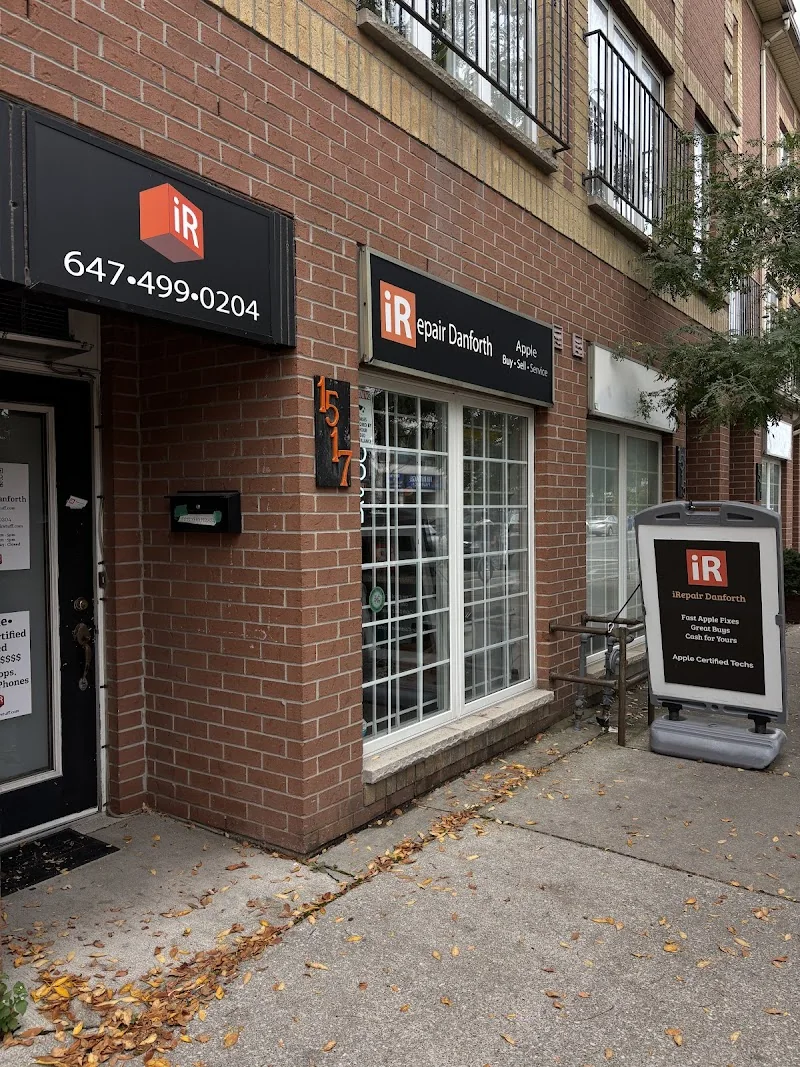
iRepair Danforth: an Apple-focused option near Coxwell
Address: 1517 Danforth Avenue
Published hours: Tuesday to Friday, 10 a.m. to 7 p.m.; Saturday, noon to 7 p.m.; closed Sunday and Monday
Contact: [email protected], 647-499-0204
iRepair Danforth lists screens, batteries, software and data work. Its FAQ offers a free diagnosis without an appointment and says it specializes in Apple devices.
Its Apple focus makes it a useful second opinion for an iPhone that will not start normally. Ask specifically about keeping data intact. Skip the trip on Sunday or Monday, when the published schedule says it is closed.
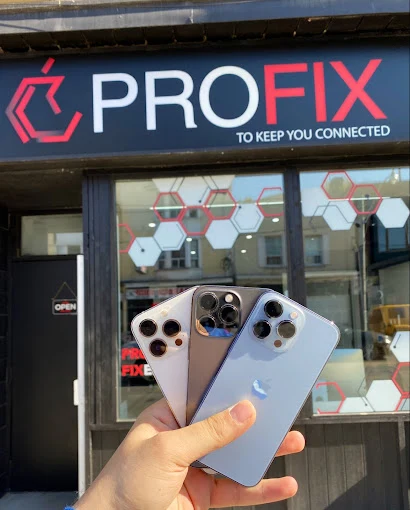
ProFix: an option on Gerrard East
Address: 1281 Gerrard Street East
Published hours: Monday to Friday, 10 a.m. to 7 p.m.; Saturday, 11 a.m. to 7 p.m.; closed Sunday
Contact: [email protected], 416-462-8787
ProFix's contact page advertises a free estimate and a no-fix, no-fee policy. The location is useful if Gerrard East is easier than the Danforth.
Ask what counts as a successful fix when data matters. A phone that starts but has lost your files might not meet your goal. Get the work included and total price in writing before leaving it behind.
D Wireless: useful farther east
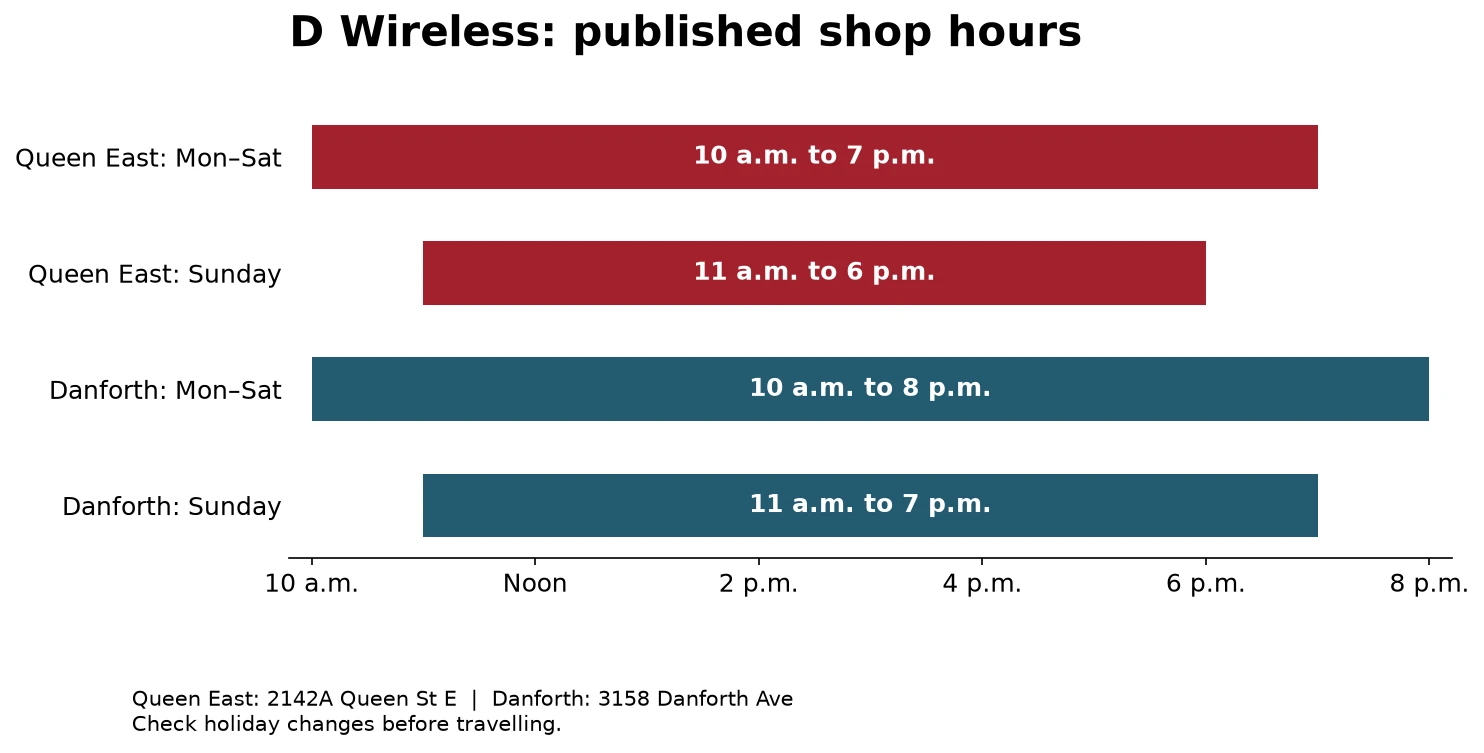
D Wireless lists two shops: 2142A Queen Street East in the Beaches and 3158 Danforth Avenue near Pharmacy. It welcomes walk-ins and advertises a free check to find the fault.
Its published warranty is 30 days. Common screen, battery and charging-port work is often same-day, while work on the main circuit board or a recovery fault can take one to three business days. Those are the shop's stated timelines, not a promise for your phone.
Use this option if either address saves you a cross-city trip. Ask for an expected finish time after diagnosis.
The Queen East shop lists Monday to Saturday, 10 a.m. to 7 p.m., and Sunday, 11 a.m. to 6 p.m. The Danforth shop lists Monday to Saturday, 10 a.m. to 8 p.m., and Sunday, 11 a.m. to 7 p.m.
Before you leave home
Save the address and hours before leaving home. If your phone is unusable, a paper note is more useful than a map you cannot open.
Don't assume a storefront is step-free because its address is at street level. The pages reviewed did not settle every entrance or counter-access detail. Use the written contact route if access needs will affect your visit.
Use this quick decision order:
- Check whether the phone is covered by AppleCare or warranty.
- Decide whether the data or the working phone is the priority.
- Try Apple's non-erasing update step once, if you can do it safely.
- Get a written diagnosis before approving parts or an erase.
- Compare the total with a replacement only after the data question is settled.
What to try before paying for a recovery-loop repair
For an iPhone 13, follow Apple's current recovery instructions using a Mac or the Apple Devices app on a PC. Apple says to try updating first if you have not done that already. Restore reinstalls iOS and erases the phone.
If the download takes over 15 minutes and the phone leaves the recovery screen, Apple says to let the download finish before repeating the required connection steps. If recovery mode cannot update or restore the phone, service may be needed.
If you have already spent hours troubleshooting, record what you tried and any error number. Don't keep repeating steps without a reason. Give the technician that short history.
Skip paid software that promises a guaranteed recovery before you have a diagnosis. A recovery screen alone does not tell you which part, if any, needs replacing.
An $80 budget: what can you reasonably expect?
Expect a conversation and a quote. Do not expect a guaranteed screen, board or data repair for that amount.
None of the east-end pages checked gave a fixed $80 price for an iPhone 13 recovery loop. An advertised starting price for a battery or screen is not a quote for this fault.
For comparison, RepairIt at Simmply Macs in Liberty Village lists batteries from $69 and screens from $89. The exact model changes the price. Those prices illustrate why the type of repair matters; they do not price an east-end recovery job.
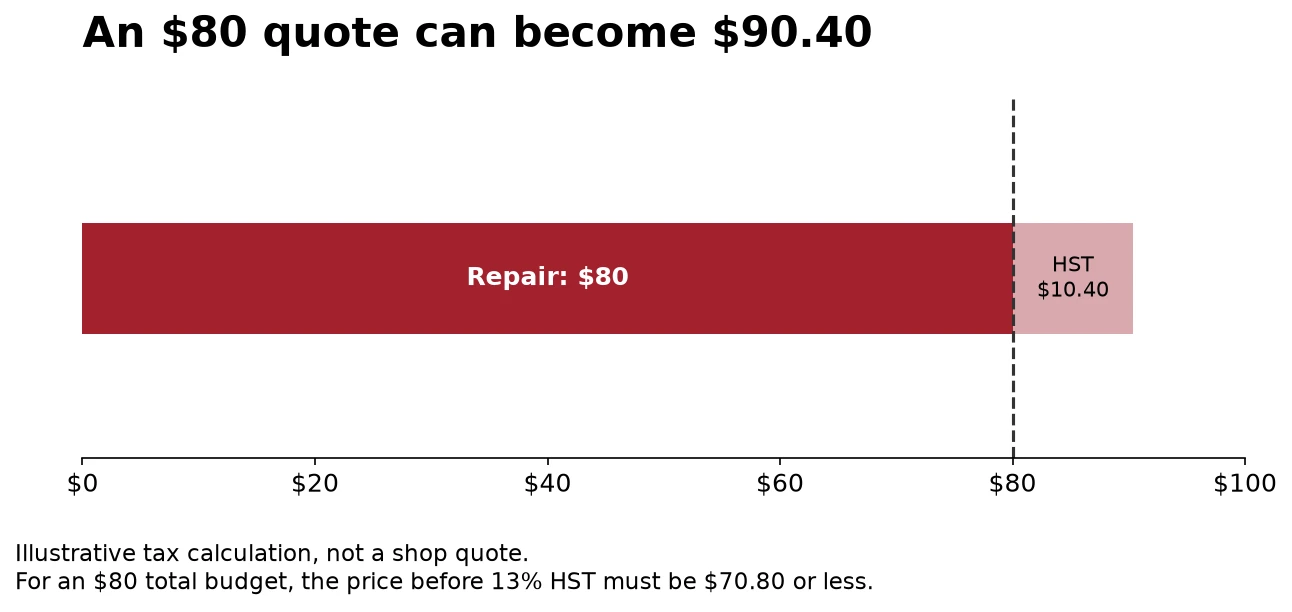
Ask whether tax is included. If $80 is a firm total, a quote of $80 plus Ontario HST comes to $90.40. Also ask about inspection fees, failed-repair fees, deposits and any work sent to another shop.
If the price is too high, take the written diagnosis away. Don't let urgency turn an assessment into a replacement phone, financing plan or carrier change you did not need.
If you retire the device, resolve your data access first. Then use our Toronto guide to donating and recycling unwanted items to find the right disposal route.
An older local account described a strong sales pitch during an assessment. We have not established that as a current practice across any chain. The useful response is to make your repair-only request clear.
Apple is the right comparison when coverage or genuine parts matter
Apple's Canadian repair page offers in-person, mail-in and eligible Express Replacement routes. It gives model-specific estimates through an interactive tool and says the final amount follows inspection. Apple Authorized Service Providers can set their own out-of-warranty fees.
Apple guarantees its service and replacement parts for 90 days or the remaining Apple warranty, whichever is longer. Compare that term with the local shop's written warranty. D Wireless lists 30 days, while RepairIt advertises 90 days. A lower quote with a short or unclear warranty is not automatically the better value.
For an $80 ceiling, Apple may still be useful as a diagnosis or coverage check even when an out-of-warranty repair will not fit the budget. Do not assume the AppleCare service fees apply when you do not have an active plan.
If you cannot call or get into your email
Walk into a shop that explicitly accepts walk-ins during its published hours. Bring the device, charging cable if relevant, and a note with the symptoms and spending limit.
If you can still use email from another trusted device, the contact addresses above avoid a phone call. Don't assume an online form will get an instant response.
For a bank account, use the bank's official account-recovery route or visit a branch with the identification it requires. For work accounts, use your employer's help desk. A repair technician should not need your banking password to diagnose a phone.
For Google, official recovery options include a previously saved backup code, another signed-in phone, an enrolled security key or a passkey on another device. Which options work depends on what you set up before the phone failed.
An authenticator app and a text-message code are not the same thing. Moving your number to another SIM does not automatically recover the authenticator's codes. Keep account recovery and hardware repair as two separate tasks.
Make an account-recovery sheet before the repair
From a trusted computer, list the accounts that depend on the phone. Start with email, your Apple Account, banking, work access and the password manager. Note which ones can use a backup code, passkey, security key, another signed-in device or recovery contact.
Do not put passwords on the sheet you hand to a shop. The goal is to know what could be lost if the phone is erased. Keep backup codes in a secure place away from the broken phone.

Other local recommendations, and what remains uncertain
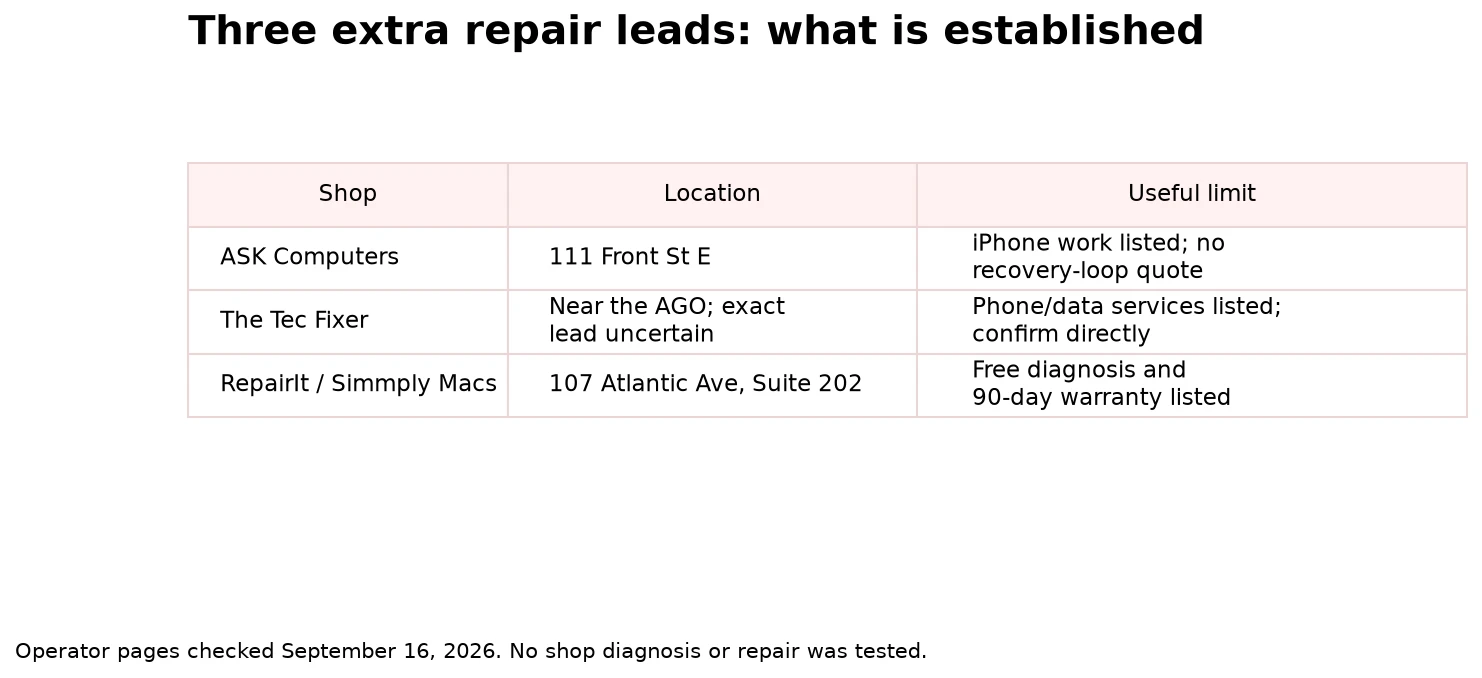
These leads were checked on September 16, 2026. Current shop locations or services can be verified without proving every customer's claim about speed or quality.
| Lead | What we could establish | How to use it |
|---|---|---|
| ASK Computers | 111 Front Street East; iPhone repair listed; weekdays 10 a.m. to 6 p.m., Saturday 11 a.m. to 5 p.m.; Sunday closed | A downtown second opinion. Email [email protected] if you cannot call. No recovery-loop price verified. |
| The Tec Fixer | Its own site lists phone repair and data recovery near the AGO | A possible match for the unnamed Village by the Grange recommendation. Exact match and the named technician's availability remain unconfirmed. Check the current entrance and quote before travelling. |
| RepairIt / Simmply Macs | 107 Atlantic Avenue, Suite 202; free diagnosis and a 90-day repair warranty listed | A west-end Apple-focused alternative. Too far to make it the first stop for most east-end readers. |
| uBreakiFix | An older recommendation mentioned Samsung authorization | Do not treat an old brand recommendation as a current nearby Apple service location. Check the present operator and model support. |
| Temporary screen for photo recovery | Suggested by a private commenter | Plausible repair approach, but no confirmed public service or price. Ask a named shop instead of relying on an anonymous offer. |
Frequently asked questions
Can a shop fix an iPhone while I wait?
Sometimes. Shops advertise quick service for common repairs, but a recovery loop or board fault needs diagnosis first. Ask for a realistic time after the assessment.
Will restoring my iPhone bring back my authenticator codes?
Do not count on it. Restore erases the phone, and recovering an app's codes depends on its backup or sync setup. Check the authenticator's own recovery instructions before approving an erase.
Is an Apple specialist an Apple Authorized Service Provider?
Those labels mean different things. A shop can focus on Apple products without being Apple-authorized. Check Apple's service options when warranty or AppleCare coverage is part of your decision.
How can I check what parts were replaced?
On iOS 15.2 or later, open Settings, General, About and look for Parts and Service History. Depending on the model and repair, Apple may show Genuine, Used, Unknown or Unverified beside a part. Test the phone as well; a label is not a substitute for checking the repaired function.
What should I test after an iPhone screen repair?
Try touch in every corner, brightness, Face ID, the front camera, speaker, microphone and charging. Restart the phone once and look at Parts and Service History when the model supports it. Report a problem during the written warranty period.
Can I get a quote without a working phone?
Yes. Use a listed email address from another device, or visit a shop that accepts walk-ins. Avoid relying on a callback when your only phone is broken.
Should I buy a replacement instead of repairing it?
Compare the full repair quote with a replacement that has a clear condition and warranty. If the old phone holds data you still need, replacing the device does not finish the job. Resolve the data question first.
What should I bring to the repair shop?
Bring the phone, a short fault history and any error numbers. Bring the charging cable if that is part of the problem. Know your spending limit and say clearly whether preserving data is required.
Start with one free assessment near you. Approve paid work only when the shop has explained the fault, total price and effect on your data.