


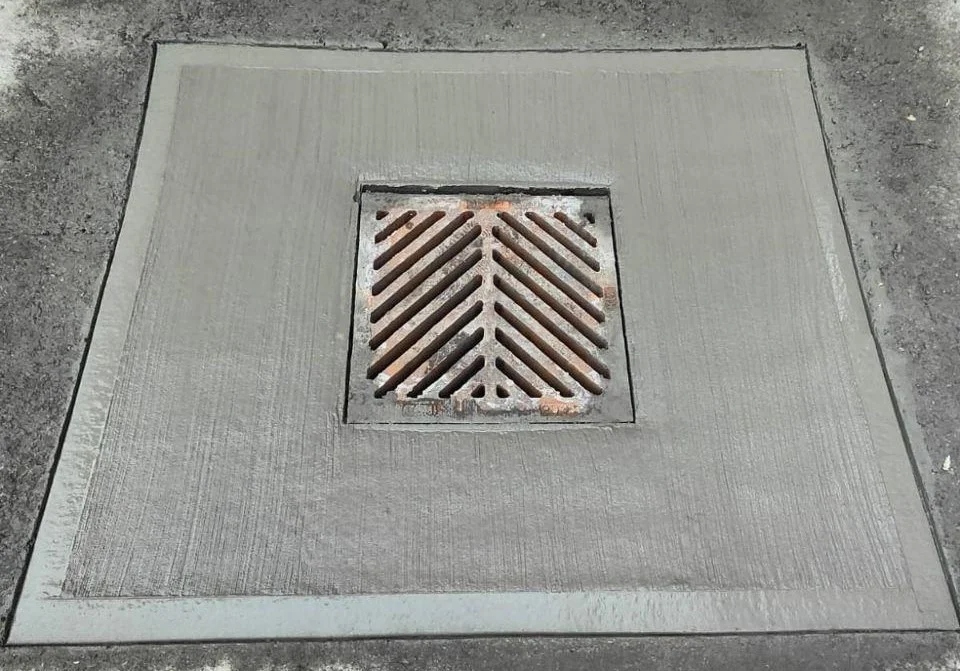
If your phone or keys fall through a Toronto street grate, call 311 and describe a lost item in a catch basin. Give the exact location and leave the cover alone.
Toronto Water has a service category for these requests. That does not mean every item can be recovered, or that a crew will come immediately. It does mean there is a better first step than trying to lift a heavy street cover yourself.
Give 311 a location a crew can find
The City's service catalogue lists lost items in catch basins under Toronto Water. Use Toronto's 311 service to report the problem and ask what happens next.
Name the nearest street address, intersection and side of the road. Say whether the item is visible. A photo of the grate and its surroundings can help you describe the spot without leaning over traffic.
Record the service-request number and the contact details you supplied. If the lost item is your phone, give a number or email you can still access. Use the City's service-request tracker with that reference to check progress.
If the location is near a busy intersection, name a fixed shop or building and the corner as well as the street names. A dropped map pin by itself can put a crew on the wrong side of a wide road.
An older service target is not a promise about today's response. Ask for the current expected next step when you make the request.
Leave the cover and the drain alone
Don't enter the drain, lift the grate, lower a ladder or stand in a live traffic lane to reach the item. A phone isn't worth a fall, a crush injury or stepping into traffic.
A magnet or homemade hook is not our recommendation either. You can lose more equipment or push the item farther away without solving the access problem.
If the gap is on private property, such as a condo garage, contact the building manager. If something falls onto transit tracks, tell station staff. The person responsible for the space is the right starting point. Don't step onto tracks or into an elevator shaft.
If the phone comes back wet
Don't plug it in to see whether it still works. Follow the maker's instructions for that device.
Apple's liquid-detection guidance warns against charging through a wet connector. It also advises against rice, external heat, compressed air and putting objects into the port.
Dirty water can add problems beyond a damp charging socket. Ask the manufacturer or a repair provider what to do before charging or cleaning the device. A water-resistance rating is not a promise that a phone will survive a drain.
If recovery fails, move on to protecting your accounts and replacing access you need. Our guide to getting help through Toronto 311 explains the City contact route. For the lost phone, mark the location, make the request and let the right crew assess it.
The first ten minutes: two jobs, not one
There are two separate problems: recovering the object and protecting what the phone gives access to. Start the City request, then use another trusted device to deal with the second problem.
Record the time and exact spot. If you can do so safely from the sidewalk, note whether it fell straight down, landed on a ledge or disappeared into water. Do not reach farther to improve your description.
If you have someone with you, one person can call 311 while the other records the location. There is no reason for both people to stand beside the opening. Keep clear of traffic and leave the cover in place.
What to tell 311, in a useful order
Use a short report:
A phone fell into a street catch basin at [address or intersection], on the [side] side, beside [fixed landmark]. It happened at [time]. The item is [visible or not visible]. The cover is still in place. Please use [working number or email] to contact me.
Describe the object without sharing a passcode. Colour, case and distinctive marks can help identify it. If it is a set of keys, describe the fob or key ring rather than publishing your home address alongside a photograph of the keys.
Ask whether a request has been created, how the responsible team will contact you and whether you need to be present. Keep the request number. Do not infer a same-day arrival from another person's successful recovery.
A missing or unstable cover is a separate hazard. Report that fact clearly if you see it. Do not try to fix or lift the cover yourself.
Check who controls the space
| Where the item fell | First contact | What to avoid |
|---|---|---|
| A City street catch basin | Toronto 311 | Lifting the cover or entering the roadway |
| A condo or private parking garage drain | Building manager or property owner | Assuming the City maintains private equipment |
| TTC tracks or a station area | Station staff or TTC assistance | Going onto the tracks |
| GO or Union facilities | On-site staff for the relevant operator | Treating every part of Union as one operator's property |
| An elevator gap | Building management | Opening doors or reaching into the shaft |
Tell staff where the item is, then let them identify the maintenance route. A retrieval method suitable for a street catch basin does not apply to transit tracks or an elevator.
Lock the phone from another device
For an iPhone, follow Apple's lost-device instructions through Find My. Marking it lost can protect access while you still hope to recover it. Use the official service directly, not a link in a message from someone claiming to have found the phone.
For Android, use Google's instructions to find, secure or erase a device. Available actions depend on the phone's settings, account and connection. A wet or offline phone may not receive a command immediately.
Put a contact number on the lost-device message that you can actually answer. Do not display your password, account recovery codes or home address. A legitimate finder does not need any of those to return the phone.
Contact your mobile carrier through its official website or number if you need to suspend the SIM or eSIM and arrange replacement access. Think about which accounts rely on text messages before changing devices. Use existing recovery options rather than sharing verification codes with a stranger offering help.
Should you erase the phone immediately?
Remote erasure is a serious step because it can remove data that is not backed up. Read the maker's current explanation of what happens to tracking, account locks and pending commands before selecting it.
A phone visible in a catch basin presents a different situation from one stolen by someone who knows the passcode. Balance the data risk with the realistic recovery plan. Locking the device while you contact the responsible crew is a useful first action when available.
Do not remove an iPhone from Find My just because a message tells you recovery requires it. Follow Apple's instructions, including the effect on Activation Lock. Scammers can exploit the period when a person is desperate to get a phone back.
Recovery is not proof that the phone is safe to charge
Tell a repair provider how long the phone was in the drain and whether it was submerged. Dirty water and impact can require a different assessment from a few drops of clean water on a connector.
Do not force a charging cable into a wet port, blow hot air into it or insert cotton swabs. Do not bypass a liquid warning simply to check whether the screen comes on. Follow the manufacturer's advice for the exact model.
If it becomes hot, swells, smokes or shows another battery warning sign, stop handling it and seek appropriate emergency or manufacturer advice. A recovered phone is not worth creating a second problem indoors.
If the data is more valuable than the handset, tell the repairer before agreeing to a reset or replacement. Ask what work could erase it, what recovery is realistic and what the assessment costs. No shop can promise success from a description alone.
If the object cannot be recovered
Keep the service reference and any written response. Check your existing device protection or insurance documents for accidental damage or loss terms, deductibles and reporting requirements. Do not assume ordinary warranty coverage includes drain damage.
For keys, decide what access was exposed. A plain key ring without identifying information is different from one attached to a name and address. Discuss replacement or lock changes with the property owner where relevant.
Once the immediate issue is over, review backups and recovery contacts from a working device. The useful lesson is to make the next loss less disruptive, not to spend hours blaming yourself for dropping something.
Frequently asked questions
Should I call 911 for a lost phone in a drain?
Use 311 for routine retrieval from a City catch basin. Call 911 if there is an immediate emergency, such as someone injured or trapped.
Will the City definitely recover it?
No. A service request gives staff a way to assess the situation. The item may be inaccessible or already gone.
What location details should I give?
Provide the nearest address, intersection, side of the road and a clear description of the grate. Save your request number.
Can I lift the cover myself?
Leave it to the responsible crew. Heavy covers, road traffic and confined spaces make this a poor DIY job.
Should I put a recovered wet phone in rice?
No. Apple specifically advises against rice. Follow the device maker’s wet-device instructions and do not charge a wet connector.